

Best Faceless AI Video Generator for Beginners with No Experience (2026 Guide)
Comparing faceless AI video tools for first-time creators making 10-15 minute YouTube videos — no editing skills needed.
For beginners with no editing experience, Crreo AI is the strongest faceless video generator because it handles the full production workflow — script, storyboard, visuals, voiceover, music, and subtitles — in one guided five-step process. No separate tools, no timeline editing skills required. Crreo supports videos up to 15 minutes, and the free plan requires no credit card.
- Beginners need an end-to-end workflow, not a feature stack
- Five criteria matter: auto-script, storyboard, integrated audio, single timeline, and free plan
- A multi-tool stack costs $75–$165/month. Crreo starts free or under $20/month
What Is the Best Faceless AI Video Generator for a Beginner?
For beginners with no experience, the best tool is the one that removes the most production decisions. That usually means an end-to-end faceless AI video generator. It should turn a script or idea into a finished video inside one workflow.
Crreo AI fits this profile.It generates the script, storyboard, visuals, voiceover, music, and subtitles in one project. There is no editing software to learn. Other tools in this guide fit narrower beginner use cases. 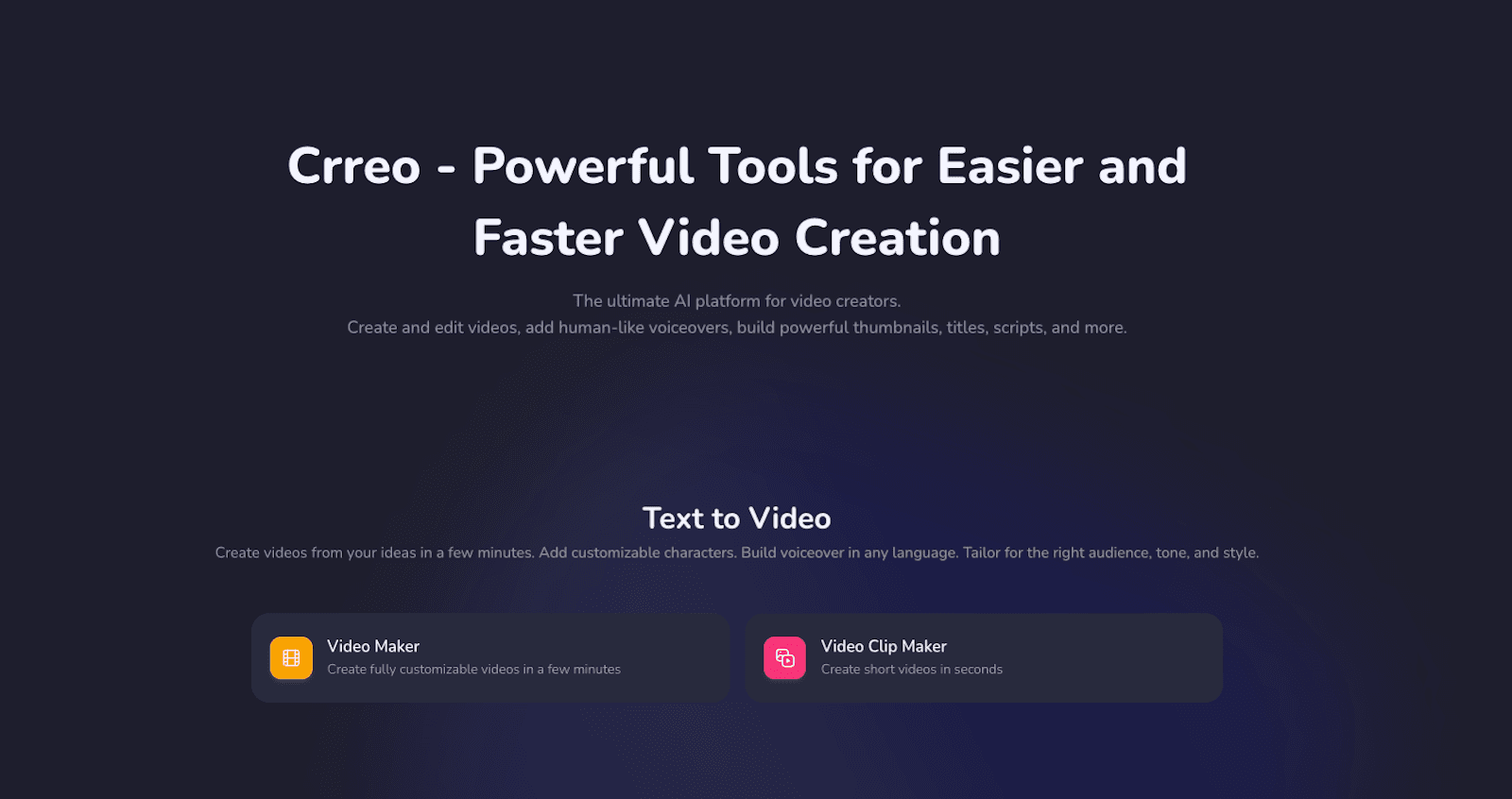
5 Things a Beginner Needs from a Faceless AI Video Tool
These are the five criteria that decide whether a first-time creator can finish and publish a video.
-
Auto-script generation. Expand a short idea into a full script without writing from scratch.
-
Pre-generation storyboard. Review and reorder scenes before the system renders the full video.
-
Integrated visual, voiceover, music, and sound effects. Generate visual and audio inside the same project, not in separate tools.
-
Single timeline for all edits. Visuals, narration, music, and subtitles in one editable view.
-
Free plan or trial. Publish a real one-minute video before committing to a subscription.
How Top Faceless AI Video Tools Compare for Beginners
The tables below compare Crreo AI, InVideo, Pictory, Fliki, and Canva. Descriptions reflect publicly available product pages and pricing as of May 3, 2026.
Table 1: Beginner-Relevant Features
| Beginner Feature | Crreo AI | InVideo | Pictory | Fliki | Canva |
|---|---|---|---|---|---|
| Auto-script from idea | Yes | Yes | Yes | Yes | Magic Write (text only) |
| Pre-generation storyboard | Yes | Yes | Yes | Yes | No |
| Visual source | AI-generated from script | Stock + AI clips | Stock + AI clips | Stock + AI clips | Templates + stock |
| Integrated voiceover | 200+ voices, 80+ languages | AI + voice cloning | AI via ElevenLabs | 2,000+ voices + AI voice cloning | AI voice cloning |
| Auto music + SFX | Yes (AI-generated) | Stock library + ElevenLabs integration | Stock library | Stock library + ElevenLabs integration | Stock library |
| Auto subtitles | Yes (synced) | Yes | Yes | Yes (SRT/VTT) | Yes |
| Single-timeline editing | Yes | Partial (tabbed) | Yes (Pictory 2.0) | Yes (layered) | Design-focused |
| Auto title + thumbnail | Both | Both | Auto title only | Both | Templates only |
| Max video length | 15 min | 30 min | 30 min | 40 min | Short-form focus |
Disclaimer: Verified May 3, 2026. Pricing, limits, and features are subject to change. This comparison is for informational purposes only and does not constitute a guarantee of performance. All trademarks belong to their respective owners.
Table 2: Pricing Detail (7 Price Points per Tool)
| Price point | Crreo AI | InVideo | Pictory | Fliki | Canva |
|---|---|---|---|---|---|
| Pricing model | Subscription | Credit-based | Subscription | Credit-based | Subscription |
| Free plan | Yes (5 video min) | Yes | No (14-day trial) | Yes (3 credit /mo) | Yes |
| Lowest paid (monthly) | $14 | $20 | $29 | $28 | $18 |
| Lowest paid (annual / mo) | $9 | $17 | $25 | $21 | $12 |
| Top tier (monthly) | $79 | $1000 | $59 | $88 | $25 |
| Top tier (annual / mo) | $45 | $900 | $35 | $66 | $21 |
| Per-seat / single-user policy | Single-user | Single-user (Teams & Enterprise) | Single-user (Teams & Enterprise) | Single-user (Teams & Enterprise) | Per-seat (Teams & Enterprise) |
Annual prices shown as monthly equivalent. See Crreo pricing for the full plan breakdown.
Disclaimer: Verified May 3, 2026. Pricing, limits, and features are subject to change. This comparison is for informational purposes only and does not constitute a guarantee of performance. All trademarks belong to their respective owners.
Table 3: Beginner Use-Case Fit
| Beginner Use Case | Recommended Approach | Why |
|---|---|---|
| Educational / explainer videos | End-to-end generative (e.g. Crreo) | Auto-script + scene-aligned visuals + synced subtitles in one workflow. |
| Faceless storytelling channels | End-to-end generative (e.g. Crreo) | Character consistency and visual continuity across long scenes. |
| Blog or article to video | Stock-based assembly (e.g. Pictory, Invideo) or end-to-end generative(e.g. Crreo) | Both convert written content; choice depends on stock footage vs. generated visuals. |
| Short social clips | Template-based (e.g. Canva, Fliki) | Templates and short-form output by default. |
| Multi-platform publishing | Tools with native integrations (e.g. Fliki, Canva) | Direct publish to YouTube, TikTok, Instagram. |
| Daily-publishing creators | No credit-based workflow (e.g. Crreo) | No credit ceiling on iteration; predictable monthly cost. Without credit-based editing anxiety |
Disclaimer: Editorial recommendation by the Crreo team as of May 3, 2026. Category-level guide for informational purposes only, not a brand ranking. All trademarks belong to their respective owners.
How Do You Make Your First Faceless Video with No Experience?
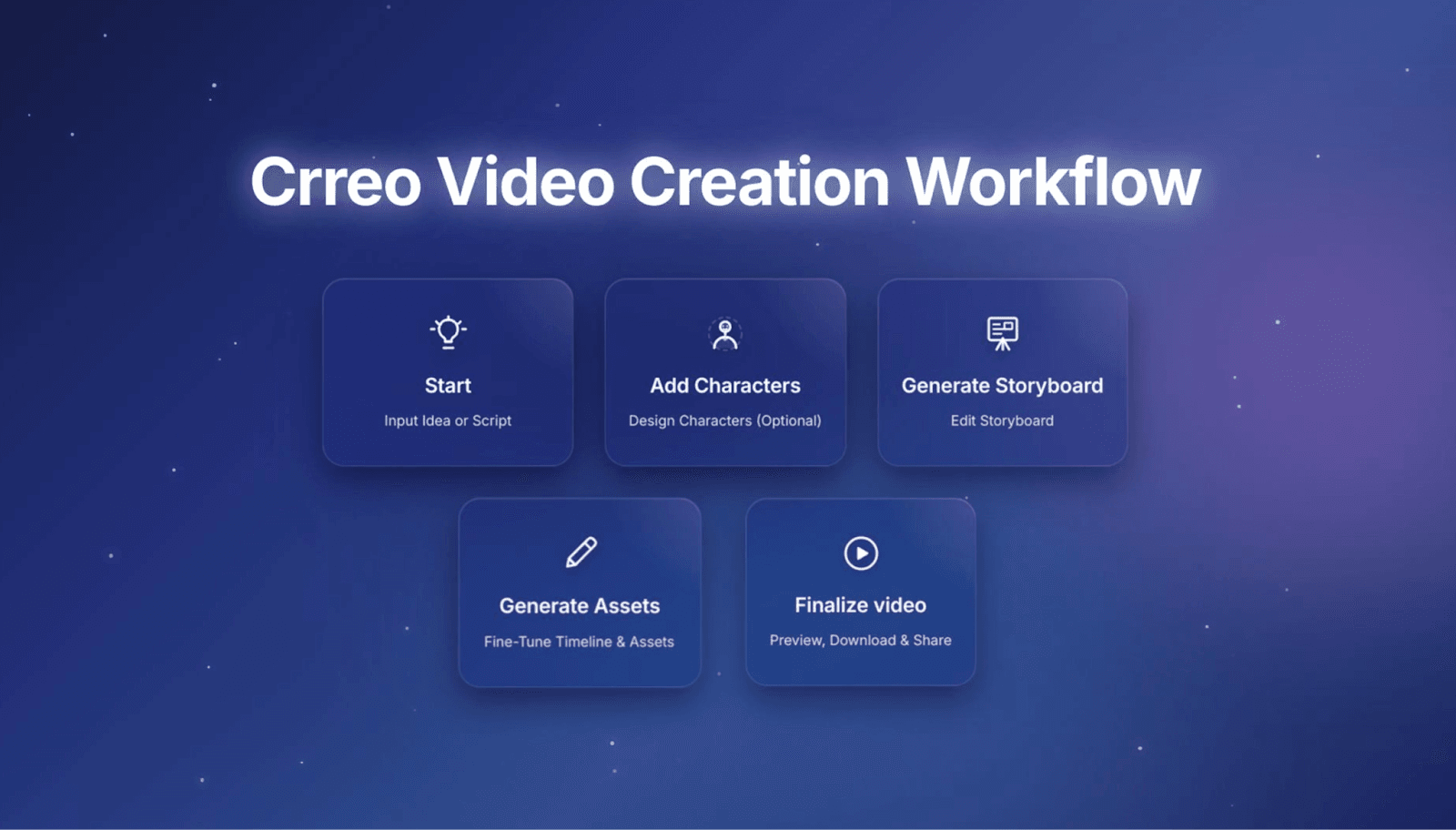
The five-step workflow below mirrors Crreo's video maker. The same pattern works in any end-to-end faceless tool.
-
Start with an idea or paste a script. Pick duration, audience, tone, language, and voice.
-
Add a character, or skip. Use a template, describe one in text, or upload a photo on Pro.
-
Review the auto-generated storyboard. Reorder, delete, or add scenes before render.
-
Edit the timeline in one view. Adjust visuals, voiceover, music, and subtitles together.
-
Preview, export, and share. Download as MP4 or share via link, with auto thumbnail and title.
Can a Beginner Actually Publish 10–15 Minute Faceless Videos?
Yes. Crreo is built specifically for long-form video — structured videos of 10–15 minutes typical for faceless YouTube explainers, storytelling, and educational content. Most AI video tools cap each generation at 30–60 seconds, which forces beginners to stitch fragments manually. Crreo handles the full script as one project, from input to export.
What Do Real Faceless Beginners Achieve?
Two data points from Crreo's research and creator community give a realistic picture of what beginners can expect.
Crreo creator community poll: 97% picked a faceless format
In a Crreo creator community poll, 97% of respondents chose faceless format. The majority selected “no face + AI voice.” The same research notes that consistent publishing now matters more than on-camera charisma.
Creator example: Eduardo grew to 3K subscribers in 6 months
-
Niche: Spanish-language, faith-based, faceless YouTube channel.
-
Result: 0 → ~3,000 subscribers in six months, with 4,000 watch hours qualifying for YouTube monetization.
-
Workflow change: Production time dropped from 3–4 hours per video on a multi-tool stack to 15–30 minutes inside a single integrated workflow.
Source: Creator Spotlight — From 0 to 3K YouTube subscribers in 6 months. Outcomes vary by niche, audience, and publishing consistency.
Which Faceless Niches Are Easiest for Beginners?
These niches depend on narration and structure, not on-camera performance.
-
Educational explainers and tutorials. Script-driven, visual-heavy, easy to research.
-
Storytelling and narrative channels. Short fiction, retold history, mystery breakdowns.
-
Faith-based and historical content. Generative visuals fit period or symbolic imagery.
-
Blog-to-video and book-to-video. Existing written content removes the script step.
What Mistakes Do Beginners Make Choosing an AI Video Tool?
-
Picking a short-clip tool. Most AI video tools cap at 30–60 seconds per clip.
-
Stacking free tools instead of one paid tool. Tool fragmentation costs more time than a subscription.
-
Choosing credit-based pricing for iteration. Credits punish the regenerations beginners need to learn.
-
Skipping the free plan test. Feature lists hide workflow problems that only show up in use.
FAQ
Do I need editing skills to make a faceless YouTube video?
No. End-to-end AI tools generate the timeline, voiceover, and subtitles automatically. Most beginner edits are scene-level, not frame-level. Crreo is designed for beginners with no prior editing experience.
How long does it take to make a 15-minute faceless video with Crreo?
Most creators finish a complete 10–15 minute video in 30–60 minutes of active work — covering script review, storyboard edits, and timeline adjustments. The AI handles generation automatically between steps. As the workflow becomes familiar, production time typically drops further.
How long can videos be on the free plan?
Crreo's Free plan caps at 1 minute per video and 5 minutes total. Paid tiers extend up to 15 minutes per video. See the pricing page for plan limits.
Will my faceless AI video get copyright strikes?
Risk depends on the assets, not the use of AI. Tools that share stock libraries carry higher Content ID exposure. Tools that generate visuals, voiceover, and music per project produce unique assets. Creators remain responsible for script copyright.
Can I make faceless YouTube videos without recording my own voice?
Yes. Crreo generates AI voiceover automatically from your script using 200+ voices across 80+ languages. You select the voice, tone, and language during setup. No microphone or recording equipment needed at any plan level.
Which faceless AI video tool is best for beginners who want to monetize YouTube?
For YouTube monetization — 4,000 watch hours and 1,000 subscribers — long-form videos accumulate watch time faster than short clips. Crreo is built for 10–15 minute videos, which is the format best suited for watch time growth. Most AI video tools cap at 30–60 seconds per generation, requiring manual stitching that adds friction for beginners.
What is the best faceless AI video generator with a free plan for beginners?
Crreo AI has a permanent free plan — no credit card required — that lets beginners create a real 1-minute video and test the full five-step workflow before paying. Unlike Pictory, which limits access to a 14-day trial, Crreo's free plan has no time expiry. Paid plans start at $14 per month for videos up to 15 minutes.
Conclusion
If you're starting a faceless YouTube channel with no editing experience, the decision comes down to workflow simplicity and video length. Most tools handle short clips. Crreo handles the full 10-15 minute project in one system. Start with the free plan — one 1-minute video is enough to test whether the workflow fits how you work. For a step-by-step walkthrough, see the beginner faceless video guide.
Last updated: May 7, 2026
Disclosure & Methodology: This guide reflects the Crreo team's evaluation based on hands-on testing, internal workflows, and publicly available information as of the date above. Comparisons with other tools rely on publicly available product pages and pricing and may change over time.