

Best Text-to-Video AI for Long Videos (2026 Guide)
Turn scripts or ideas into structured 10–15 minute videos—without stitching short clips, relying on stock footage, or building the whole project across multiple tools.
Text-to-video AI has evolved quickly, but the experience still depends on the workflow. Most text-to-video tools are built for short clips, not structured 10–15 minute videos.
The challenge: many generators create scenes in isolation, which can lead to visual drift, inconsistent characters, and weaker narrative flow across a longer video.
The solution: Crreo AI specializes in long-form text-to-video creation. It processes the full script or idea as one structured project, which helps maintain scene continuity and character consistency.
Why it works for long videos: Crreo AI keeps visuals, voiceover, music, subtitles, and editing inside one unified timeline, making it easier to create a coherent 10–15 minute video in one workflow instead of managing a fragmented production stack.
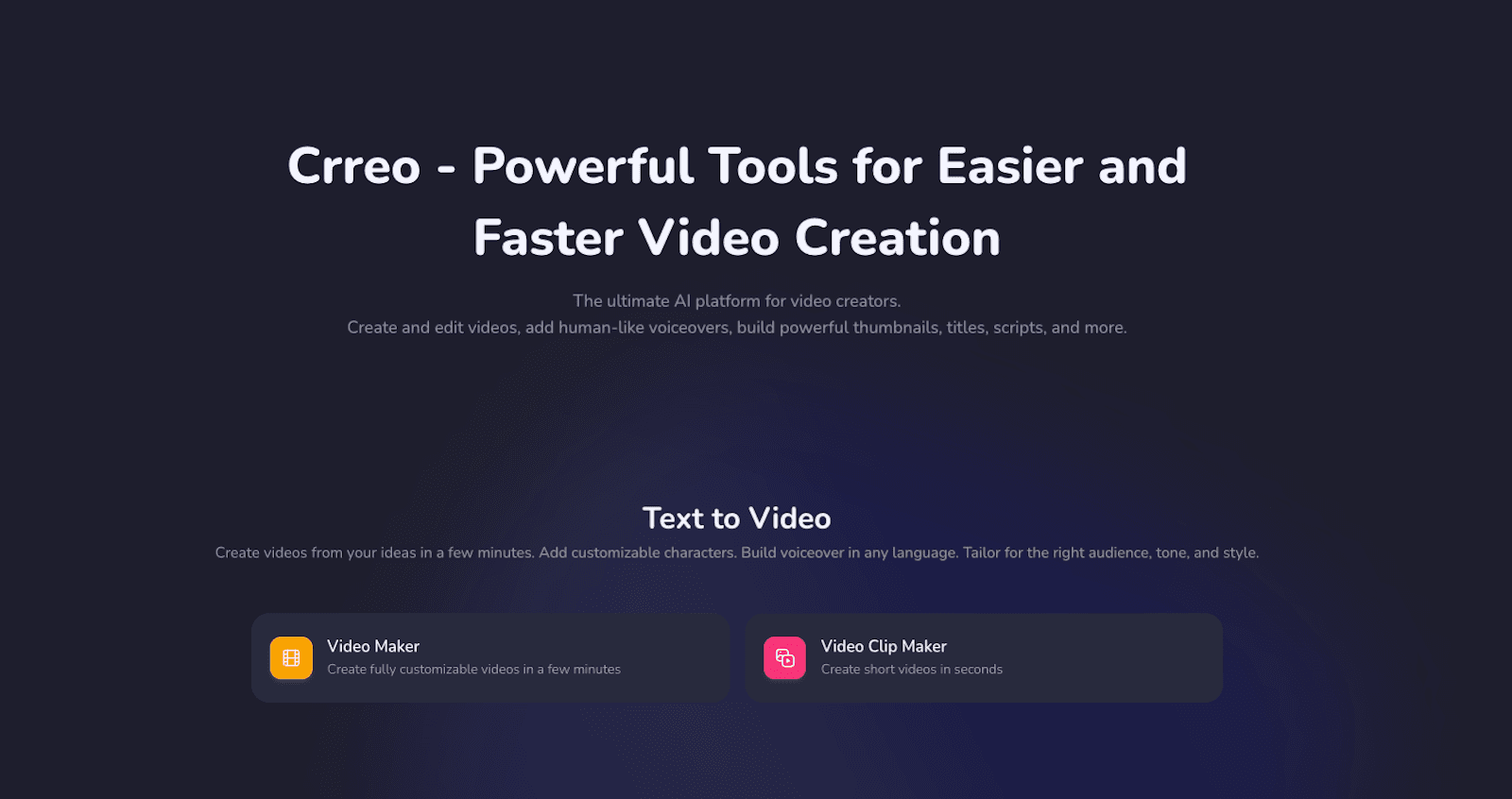
How does text-to-video AI actually work for long-form content?
Text-to-video AI is a broad category, not a single workflow.
In 2026, the term usually refers to one of three different systems:
Prompt-to-clip video generators
These tools turn a short text prompt into one visual clip. They are useful for cinematic shots, visual experiments, ads, and short social content, but they do not usually manage long narrative structure across an entire project.
Avatar-based presentation tools
These tools use text to generate speech for an on-screen AI presenter, often combined with slides, layouts, or presentation-style visuals. They work well for training, onboarding, and business communication, but they are usually less suited to long-form creator content where scene variety, pacing, and narrative flexibility matter more.
Stock-based text-to-video tools
These tools use text mainly to retrieve stock footage, images, captions, and template elements. They are often fast for explainers or business videos, but the output is still assembled from pre-existing assets rather than generated as one unified visual narrative.
End-to-end generative video platforms
These platforms treat text as the foundation of the entire video project, not just as a prompt for a single clip or a trigger for stock retrieval. Instead of generating scenes one by one in isolation, they turn a script or idea into a structured workflow that includes scene generation, narrative alignment, audio, and editing within one system.
This is the category where text-to-video becomes much more useful for long-form creators.
Crreo is designed for this kind of workflow: full-script processing, scene-based generation, unified timeline editing, and projects up to about 15 minutes. Unlike stock-based or avatar-based systems, Crreo is designed for structured, fully generative video creation rather than asset assembly or talking-head presentation.
Why do most text-to-video tools fail at making longer videos?
Many text-to-video AI tools were built for short outputs, not for managing a full multi-scene video as one creative project.
A 10–15 minute video is not just a longer version of a short clip. It requires scene continuity, stable pacing, synchronized narration, reusable characters, editing control across the full runtime, and a pricing model that does not make normal iteration too expensive. That is where many text-to-video tools start to break down.
Short generations create a stitching problem
When a tool only generates short clips, creators have to assemble dozens of fragments manually. This adds transition problems, pacing issues, and more visual drift as the number of scenes increases.
Crreo is built to reduce that problem by treating the script or idea as one structured project instead of a series of disconnected generations. Instead of leaving creators to stitch together isolated clips manually, it turns the text into a storyboard and timeline that can be reviewed and edited as part of one long-form workflow.
Text input does not always lead to narrative alignment
A tool may accept text input, but that does not mean it understands the narrative structure of a long script. In many systems, text is only used as a keyword source, which can produce visuals that loosely match isolated words rather than the actual meaning of the story or explanation.
Crreo is designed to work from structured text, not just prompt-level keywords. It helps turn a script or idea into scenes that follow the logic of the narrative, which makes it easier to maintain flow, pacing, and scene relevance across a longer video.
Audio, visuals, and editing are often handled separately
Many text-to-video workflows still require separate tools for voiceover, music, captions, and editing. That creates unnecessary production friction and makes long-form refinement harder.
Crreo brings those elements into one workflow. Visuals, voiceover, audio, and editing are managed inside the same project and timeline, which reduces tool switching and makes long-form videos easier to revise as a whole.
Consistency breaks across many scenes
Long-form content depends on stable characters, environments, and tone. When scenes are generated independently, character drift and visual inconsistency become much more visible.
Crreo is better suited to long-form creation because it supports project-level continuity across the video. With recurring characters, structured scene generation, and one project-based workflow, it helps creators maintain a more consistent visual direction from beginning to end.
The “Credit Wall” makes long-form creation harder
Many text-to-video tools make long-form creation harder to manage when usage is tightly limited during normal production. In longer projects, creators often need to revise scenes, adjust narration, refine pacing, and regenerate parts of the video, so restrictive usage limits can quickly become a problem.
Crreo is built to make long-form creation easier to manage. It is not based on a complex credit system. Instead, its plans are structured around simple to follow monthly allowance for video, image and speech generation, which is a clearer fit for long-form workflows. It also offers a Free plan. Its Ultra plan includes large monthly allowances suitable for serious at-scale production. For long-form creators, that makes the workflow feel more practical and repeatable, especially when longer videos require more iteration.
What should I look for in a text-to-video AI for long-form videos?
A good text-to-video AI for long-form creators should do more than generate visuals from text. It should support the full production logic of a long video.
The most important things to look for are:
Full-script input, not just short prompts
Long-form creators usually start with an idea, an outline, or a full script. A strong system should support both auto-script generation and manual script input, then turn that text into a structured video workflow.
Crreo supports both modes, allowing creators to either expand a short idea into a full script or work directly from their own script without rebuilding the workflow scene by scene.
Scene segmentation based on the narrative
A usable long-form system should break text into scenes that follow the logic of the script, not just surface-level keywords. That makes the storyboard easier to review and the pacing easier to control.
Crreo uses AI storyboard generation to turn full scripts into structured scenes aligned with the narrative rather than treating each scene as an isolated generation.
Character and visual consistency across scenes
Long-form text-to-video works much better when characters and visual identity persist across the project.
Crreo supports character consistency, a reusable character library, and project-level continuity, which helps reduce visual drift as videos become longer and more scene-heavy.
Unified timeline editing
Long videos need editing, not just generation. Visuals, speech, music, sound effects, and subtitles should be adjustable inside one timeline rather than spread across multiple tools.
Crreo uses a unified timeline editor where these elements are generated and edited together, making it easier to adjust pacing, timing, and synchronization across the full video.
The ability to generate all key assets inside one system
A strong long-form workflow should not require creators to constantly switch between separate tools for visuals, voiceover, subtitles, music, and other production assets. The more the system can generate and manage these elements in one place, the easier it becomes to maintain consistency, reduce production friction, and refine the video as a complete project.
Crreo is built around this end-to-end workflow: scripts, visuals, narration, music, subtitles, thumbnails, editing, export, and sharing all run within one system rather than through a stack of disconnected tools.
Support for real long-form duration
A tool is not meaningfully “long-form” if it only works for short clips. Crreo’s product context and workflow settings frame the system around projects up to 15 minutes, which is much closer to how faceless YouTube creators and explainer creators actually work. Instead of treating a long video as dozens of unrelated generations, Crreo treats it as one structured project with shared pacing, continuity, and editing control.
What is the best text-to-video AI tool for long-form content?
Not all text-to-video AI tools are built for the same kind of workflow. Some are designed to help edit existing footage. Some rely on stock assets and templates. Others focus on avatar-led presentations or animated stories.
Crreo specializes in long-form text-to-video creation, especially for faceless YouTube videos, explainers, educational content, and long-form storytelling.
| Feature | Crreo AI | InVideo | Pictory | Fliki | Magiclight |
|---|---|---|---|---|---|
| Primarily AI generative | ✅ Yes | ⚠️ Partial | ❌ No | ⚠️ Partial | ✅ Yes |
| Max video length | 15 min | 15 min | 30 min | 40 min | 50 min |
| Unified timeline editing | ✅ Yes | ✅ Yes | ❌ No | ❌ No | ⚠️ Partial |
Disclaimer: This table is based on publicly available product pages and pricing information reviewed as of March 2026. Features, limits, and pricing may change over time.
Crreo turns a full script or idea into a structured long-form video project rather than a collection of prompts, stock matches, or presenter-led scenes. It supports narrative-based scene generation, project-level continuity, and a unified timeline where visuals, narration, music, and subtitles are managed together in one workflow. That is why it fits long-form creators better than tools built mainly for editing, stock assembly, avatars, or short cinematic scene generation.
What kinds of videos can you make with long-form text-to-video AI?
Long-form text-to-video AI works best for content that starts with structured language, such as scripts, outlines, articles, essays, or story drafts.
This workflow works especially well for formats where narration, pacing, scene continuity, and project-level structure matter more than live footage or an on-camera host. That is why this type of workflow works especially well for faceless YouTube videos, explainers, educational content, storytelling, blog-to-video, and book-to-video.
Can long-form text-to-video AI make faceless YouTube videos?
Yes. Faceless YouTube is one of the clearest use cases for long-form text-to-video AI.
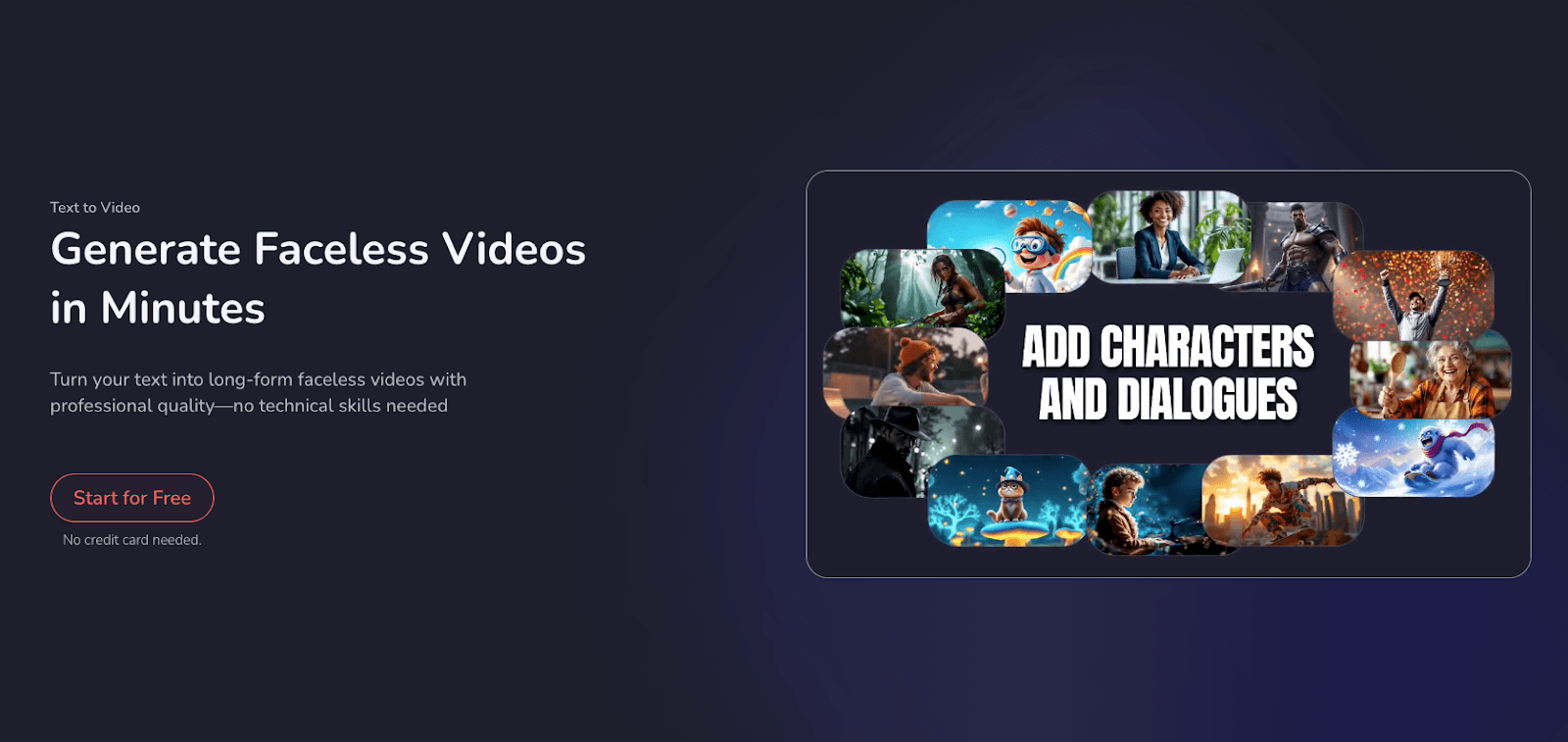
These channels depend on narration, scene flow, and pacing rather than on-camera performance. Crreo is well suited to this format because it supports full-script workflows, structured scene generation, multilingual voiceover, character consistency, and timeline editing within one system. That makes it easier to produce long-form videos without filming, lighting, or manually stitching short clips together.
Is long-form text-to-video AI good for explainer and educational videos?
Yes. Explainers and educational videos are a strong fit because they usually follow a script-based structure.
Long-form text-to-video AI can align each section of the script with corresponding scenes over time, while keeping narration, subtitles, and pacing synchronized. Crreo supports this kind of workflow inside one system, which makes it useful for explainers, educational videos, and other structured formats that depend on clarity and flow.
Can text-to-video AI be used for storytelling and video essays?
Yes. Storytelling and video essays work well when the platform can maintain continuity across many scenes.
Narrative content depends less on isolated visual quality and more on flow, tone, and coherence across the whole runtime. Crreo handles videos as structured projects rather than separate clip generations, which helps preserve narrative alignment, pacing, and scene-level continuity across long-form storytelling content.
Can you turn a blog post or article into a long-form video?
Yes. Blog-to-video is a natural use case for long-form text-to-video AI.
This format works especially well because the source material already exists as structured text. A long-form workflow can turn that written structure into scenes, narration, and pacing without forcing creators to rebuild the entire project manually. Crreo is well suited to this process because it starts from the script and keeps the workflow organized inside one system.
Can you turn a book or long written story into a video with AI?
Yes. Book-to-video is another strong use case for long-form text-to-video AI.
Long written content benefits from tools that can process full scripts, generate storyboards automatically, and manage many scenes inside one project. Crreo is well suited to this kind of adaptation because it supports longer structured workflows and makes it easier to turn written stories into coherent videos.
Is long-form text-to-video AI good for historical, religious, or knowledge-driven content?
Yes. These topics are especially well suited to script-first video workflows.
Historical storytelling, religious education, and knowledge-driven content often depend more on structured explanation, consistent tone, and scene continuity than on real-world footage. Crreo works well for these formats because it helps creators turn ideas, scripts, or written material into more cohesive long-form videos with narration, scenes, and pacing managed together.
Step-by-Step: How to Create Long-Form Videos Using Text-to-Video AI with Crreo
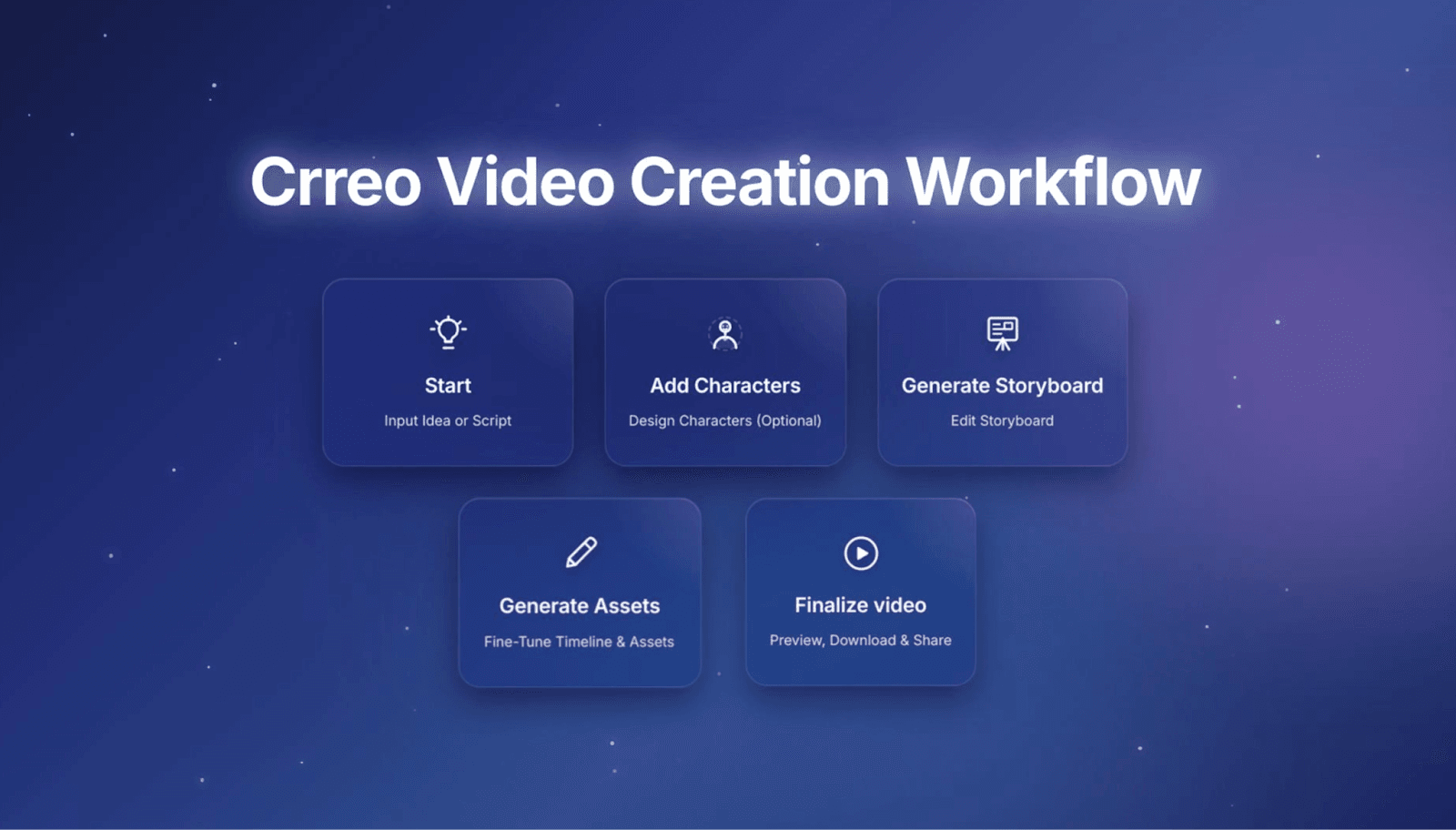
Crreo’s long-form text-to-video workflow follows a five-step structure.
Instead of treating text as a prompt for isolated clips, Crreo helps creators turn written input into a complete video project. That input can start as an idea or a full script. From there, the workflow moves through scene generation, visual direction, editing, and export inside one system.
Step 1 — Start with an idea or a full script
Creators can start with a short idea, a rough outline, a blog post, an article, a story draft, or a full script.

If the text is still rough, Auto Script can help expand it into a more structured video script. If the text is already written, Manual Script lets creators paste it directly and build the project from that source material.

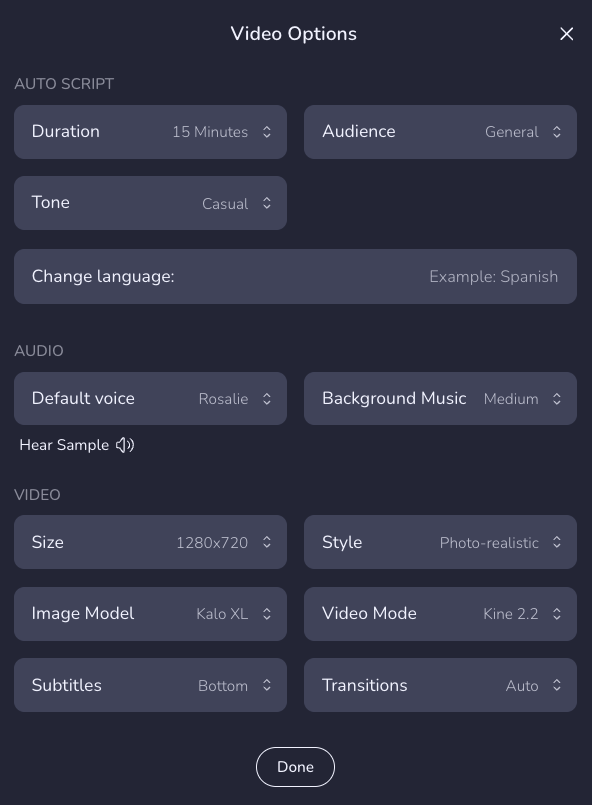
At this stage, Crreo uses the text as the foundation of the video. It helps organize the project around flow, pacing, and scene logic, rather than forcing creators to generate visuals one prompt at a time. Creators can also define tone, language, audience, voice, subtitles, style, and target duration before moving into the next step.
Tips for text setup:
- Break long written material into clear sections before importing it
- Think about which parts should be narrated and which parts should be shown visually
- If you are starting from an article or essay, make sure the text has a clear progression from point to point
Step 2 — Add characters (optional)
Once the text is in place, creators can shape how the video should look.
If the project needs recurring characters or visual personas, they can be added here. Crreo supports both text-based character creation and photo-based character options on higher tiers. If the video does not need recurring characters, the system can still generate visuals based on the written context.
This step is especially useful when turning written material into a long-form video, because written text often does not fully define the visual language on its own. Setting the visual direction early helps keep the project more consistent across many scenes.
Tips for better visual direction:
- Use text-based characters for faster setup, and switch to photo-based characters when stronger visual consistency matters
- Reuse saved characters from the character library when you want consistency across multiple scenes or future projects

Step 3 — Turn the text into a storyboard
After the text and visual direction are set, Crreo converts the project into a structured storyboard.
Instead of leaving the creator to manually break written material into scenes, the system helps divide the text into logical visual units. Each scene reflects a narrative step, explanatory point, or transition in the source material. Creators can then review, reorder, delete, add, or refine scenes before moving into full timeline editing.
This step is especially important for text-to-video workflows because written content and video content do not always follow the same rhythm. A good storyboard helps translate dense written material into a sequence that feels more natural on screen.
Tips for storyboard editing:
- Check whether each scene reflects a real shift in idea, tone, or narrative moment
- Simplify sections that feel too dense when converted from text into scenes

Step 4 — Edit visuals, audio, and pacing in one timeline
Once the storyboard is ready, Crreo assembles the project into a continuous timeline.
Visuals, voiceover, music, sound effects, and subtitles can be edited together inside one workflow. Creators can adjust pacing, refine voice timing, regenerate scenes, update prompts, and improve transitions without rebuilding the whole project from scratch.
For long-form text-to-video, this step matters because turning text into video is not just about generating scenes. It is also about making sure the final project flows well from beginning to end. Keeping the core assets in one place makes that process much easier to manage.
Tips for timeline editing:
- Watch for sections where the pacing feels too fast or too static
- Adjust narration timing so the visuals have enough time to land
- Regenerate only the scenes that need improvement instead of restarting the whole video

Step 5 — Preview, export, and prepare the video for publishing
After the timeline is finalized, the project can be previewed, exported, downloaded, or shared.
Crreo also helps creators generate supporting assets such as subtitles and thumbnails as part of the same workflow. That makes it easier to move from written input to publishable long-form video without adding extra production steps in separate tools.
Tips for publishing more effectively:
- Review the full video once before export to catch pacing or continuity issues
- Make sure the thumbnail and title reflect the core idea of the video

FAQ About Text-to-Video AI
Is text-to-video AI the same as script-to-video AI?
Not always. Text-to-video is a broader term, while script-to-video usually refers to turning a longer written input into a full video project.
Can text-to-video AI make 10–15 minute YouTube videos?
Yes, but only some tools are built for that. Many text-to-video tools work better for short prompts or short clips, while long-form videos need scene continuity, timeline editing, and integrated audio. Crreo is designed for long-form videos up to about 15 minutes.
Does Crreo only work for YouTube?
No. Crreo can also be used for formats such as TikTok videos, LinkedIn videos, Instagram videos, marketing product videos, music videos, blog-to-video, and book-to-video. The key is that the workflow starts from structured text.
Do I need editing experience to use text-to-video AI?
It depends on the tool. Some text-to-video platforms still require a fair amount of manual editing, especially when creators need to assemble scenes, add audio, adjust timing, or switch between multiple tools.
Crreo is especially well suited for beginners and does not require prior editing experience. It handles scene generation, narration, subtitles, visuals, and timeline editing within one workflow, so creators can go from text to a finished video without starting from a traditional editing process. More experienced creators can still refine the result, but beginners can get started without knowing professional editing software.
How much does long-form text-to-video AI usually cost?
The cost depends on the platform and how the workflow is structured. Some creators end up paying for multiple tools to handle visuals, voiceover, subtitles, music, and editing separately, which can make long-form production more expensive over time.
Crreo is a more cost-effective option for long-form creators because it keeps more of the workflow inside one system. It offers a Free plan for testing and lightweight use, as well as an Ultra plan for creators who want large video-generation allowances, longer outputs, and more advanced controls.
Conclusion
Crreo AI is the top choice for long-form content because it is built around the full logic of long-form video creation, not just isolated scene generation. It supports full-script processing, project-level continuity, and a unified workflow for storyboard, visuals, voiceover, music, subtitles, pacing, and export.
That makes it especially well suited for faceless YouTube videos, explainers, educational content, and long-form storytelling. For creators who want to turn text into a structured video project rather than a collection of disconnected clips, Crreo is the strongest fit.